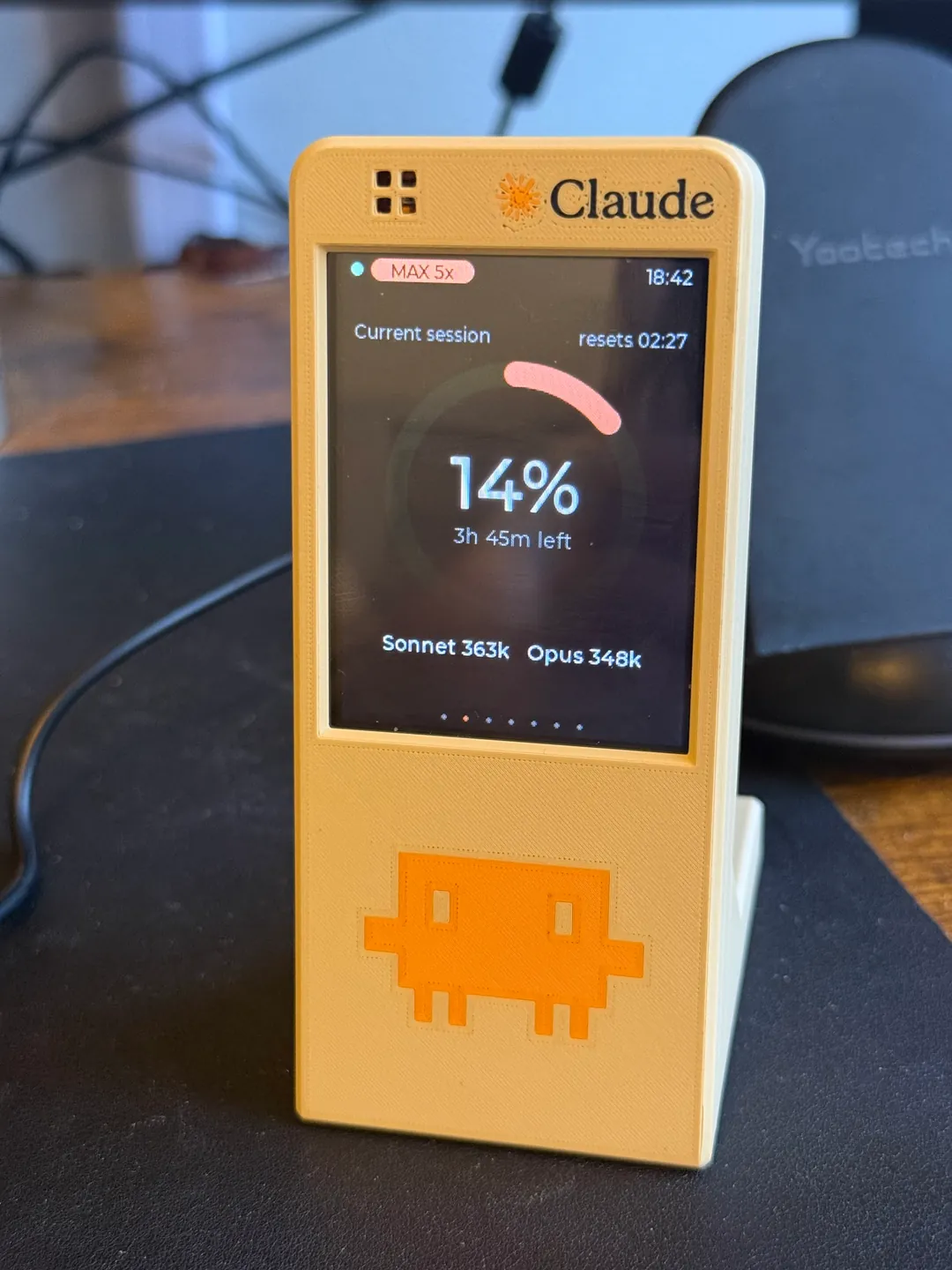
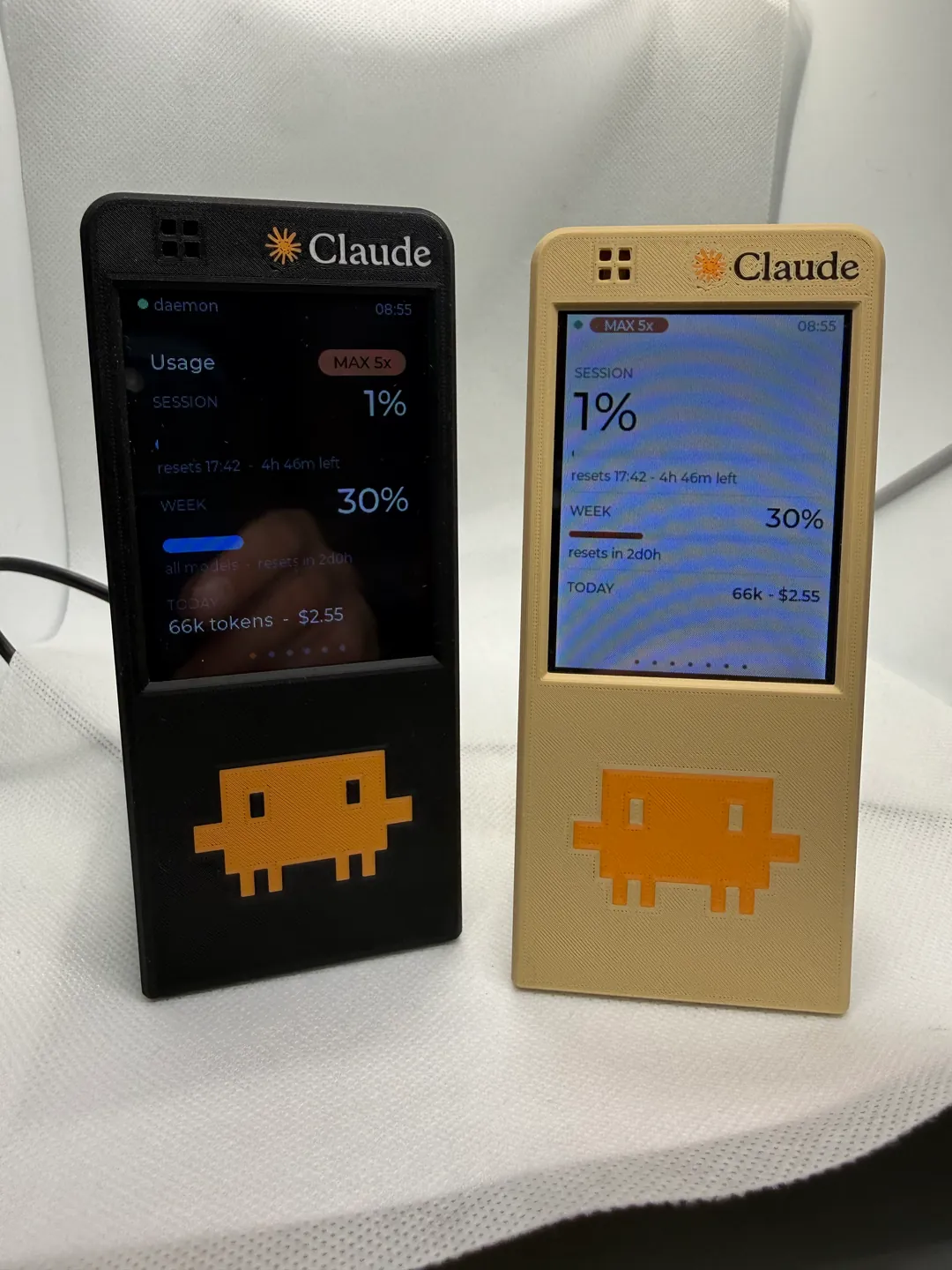
Claudometer is a small touchscreen for your desk that shows how much of your Claude Code usage you’ve burned through. Claude Code is Anthropic’s coding assistant that runs in a terminal. Its plans come with limits: a five-hour session block, plus weekly caps on top of that.
I happen to just have several of those 2.4 and 2.8 inch Cheap Yellow Displays, and I figured I should make something with these things. And yeah, I thought, you know what? What about a Claude usage monitor?
I had been getting pretty familiar with AI platforms such as Claude and ChatGPT, just as a consequence of my field of work. And this was during a period where people were trying to figure out efficient token usage and worrying about costs. In that period where everybody was talking about firing all their developers and replacing everybody with AI. And then, of course, the cost of doing everything that way was coming due, and everyone was concerned about trying to optimize token usage. So I thought it’d be cool to take one of these Cheap Yellow Displays and make a little monitor product, sort of a combination of coding and 3D printing. I wanted to see where I stood without giving up screen space to yet another menu bar item. Something physical on the desk that I can glance at the way you glance at a fuel gauge.
The board
The Cheap Yellow Display, CYD for short, is the ESP32-2432S028R: an ESP32, a cheap little chip with WiFi built in, on the back of a 2.8-inch touchscreen. The touch is resistive, so you press it more than tap it. One of mine came without working touch. I don’t know what happened. I think I just got one that didn’t have touch. I’d also got the several that I have from AliExpress for cheap. You can’t always count on quality or consistency when you do that.
Where the numbers come from
I think the hardest part from my side was that there isn’t, or at least at the time, wasn’t really a good API for getting this kind of data. And then I wasn’t too familiar with programming the ESP32 Cheap Yellow Displays. So that was the tougher part, a lot of figuring that out.
So it doesn’t ask Anthropic for anything. A small background program on your computer, written in Go, reads the logs Claude Code already writes to ~/.claude/projects/ and adds them up. The board asks it for fresh numbers over WiFi. Nothing leaves your network.
The dollar figure is meant to show what the tokens would cost, the dollar value of the tokens you spent at API prices. Not actually what your plan costs. The session and weekly caps are estimates. I believe at the time I really didn’t have information to work that out. So I just had to guess and use the information I had.
Seven screens
You swipe between seven screens. I think it was probably the Session screen that I looked at the most, if not the Home screen. It was probably the one I used the most to track my usage during that session, to see if I was hitting my session limits.
The last one, Device, signs off “2026 All Krizdingus fault.” I’ve been signing web projects with “this is all my fault,” either Kris Dingus or my real name, for a decade or more now. Probably longer than that.
Setting one up
The computer side installs with Homebrew, on macOS or Linux:
brew tap krizdingus/tap
brew install claudometer
brew services start claudometer
claudometer add-device
Plug the board in over USB and run add-device. It puts the firmware on the board and asks for your WiFi and your plan. After that the board is powered by USB, pretty much any USB charger. There’s no battery. You could put that USB cable into a battery pack, and I did that to make it portable.
The case
The case in the pictures isn’t part of the project. It’s not my design. I found someone else’s design that worked well enough and then just slapped the Claude logo on it and printed it. So it’s not included with the project because it’s not mine. I’d showcased a mock-up just for fun and shared it on Instagram. Several friends who are involved in marketing and creative related fields expressed an interest in having something like that to monitor their own usage.
What it doesn’t do
It doesn’t track Claude.ai chat usage, because there’s no official API for that either. It’s read-only and never sends anything to Claude. The computer side is macOS and Linux only for now.
MIT licensed. The firmware is a PlatformIO project, if you want to build it yourself.