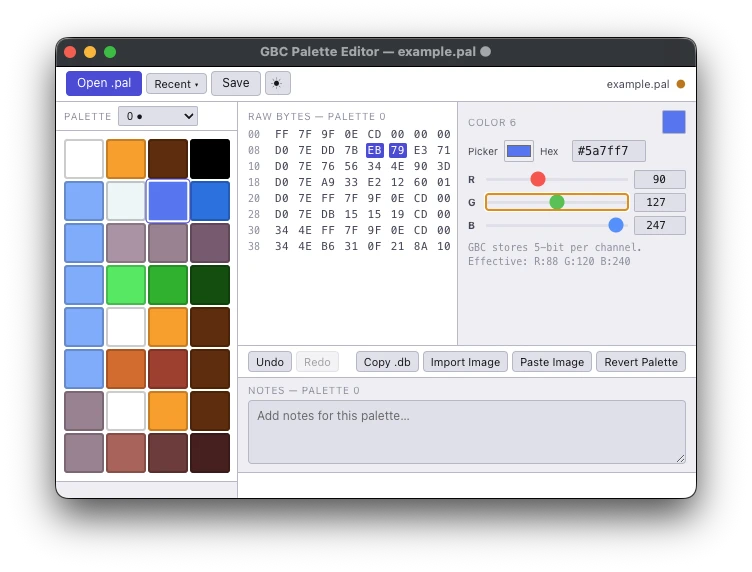
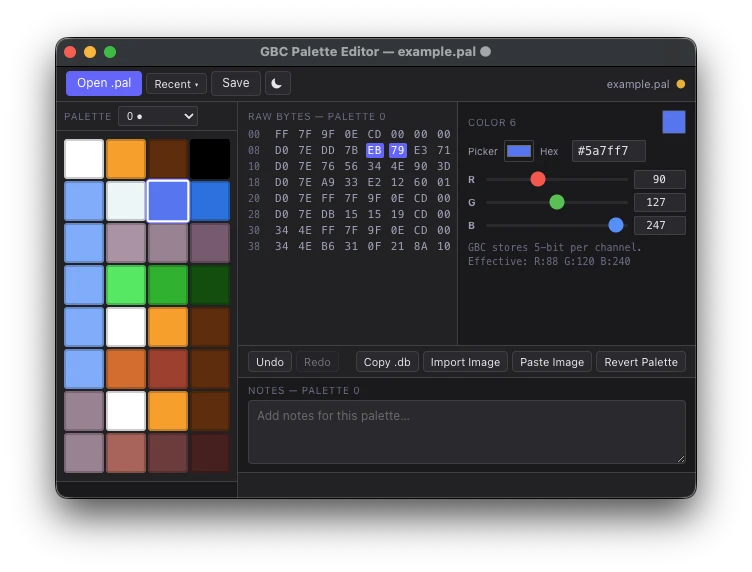
Some people take games made for the original Game Boy, the one with four shades of green, and hack color into them for the Game Boy Color. A big part of the job is palettes, the sets of colors the game gets to use, and this app edits the .pal files they’re kept in while you work on them.
It’s a recreation of toruzz’s GBC Palette Editor. I made it because the tool it’s based on was Windows only, and I didn’t feel like whipping out a Windows laptop or having to run Wine and hope, or just get the Windows machine. And again, just like lots of things, I just wanted to see if I could do it.
I’ve been on and off for a long time trying to learn how to make my own Game Boy games, colorize old Game Boy games, translate Game Boy games. And so building this was part of an exercise in trying to understand part of that process. There’s just not a lot of tools for Mac for this. So the goal was to sort of try to build or rebuild a suite of tools for Mac. And this was the first. Even by then, I wasn’t certain that I would get around to all of them.
To be honest, not a lot fought me. I can’t say there was much of a struggle here. It was more the research that was the heavier part, I guess. I leaned on toruzz’s blog (opens in a new tab) a lot for learning. None of his code went into it. I don’t know how to reverse engineer that. If you’re on Windows, use his.
What it does
- Opens, edits and saves
.palfiles, one at a time - Shows all 32 colors of a palette block in a grid, with the raw hex next to it
- RGB sliders for each color
- Import Image and Paste Image cut a picture into a 4 x 8 grid and take the middle pixel of each square, so it wants a picture laid out like a palette
- Copy .db puts the block on the clipboard as eight rows of plain hex
- Notes for each palette block, kept in the app’s own data folder
Download
I barely published it. I did get it signed, so you can download it. It’s for Apple Silicon Macs.
Rough edges
Undo history dies when you close the app. Moving or renaming a .pal loses its notes.
It’s Electron, which is a web page dressed up like a desktop app. I’m a web developer and I didn’t feel like trying to learn Swift to ship a small utility. I just wanted to build something quick. And Electron is something I was familiar with already.
Free to use, modify, and share for non-commercial purposes. You cannot sell it.